How to Create Custom AI Coloring Pages from Your Ideas
15 de setembro de 2026
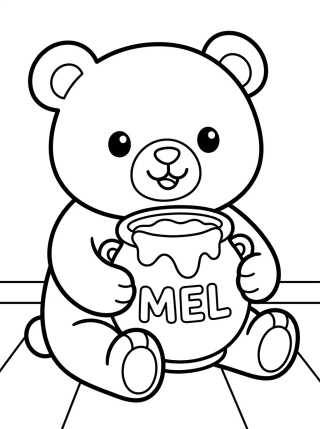
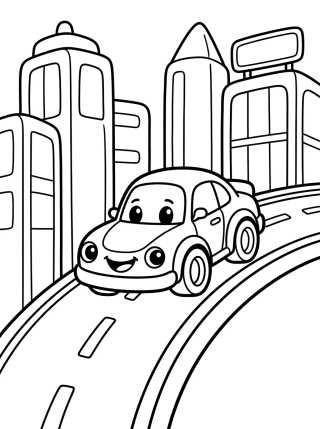
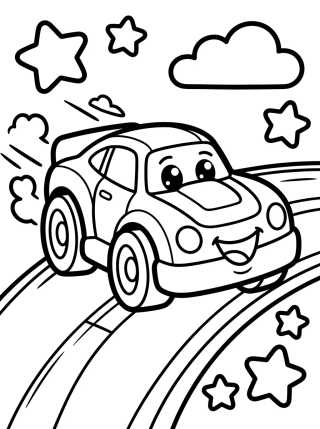
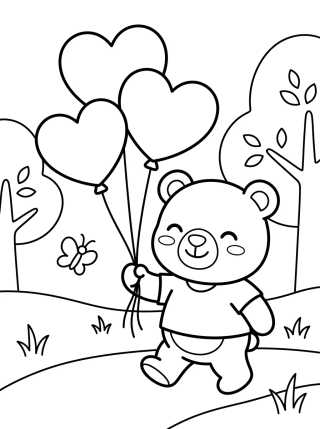
Discover how to create unique coloring pages using AI. Learn to generate custom line art and free printable activities for hours of creative fun. 🎨✨
Often, AI can leave small artifacts or smudges on the image. Using a basic editor to clean up these imperfections ensures that your coloring page looks perfect. Sharp edges are the most important factor to ensure that your printable coloring sheet doesn't waste unnecessary printer ink and provides a relaxing experience.
Optimizing AI-generated images for home printing
After generating your favorite kids' line art, the next essential step is the technical preparation of the file. Not every digital image is ready for paper. AI often generates slightly grayish backgrounds that can overload your black ink cartridge.
To avoid waste, use free online brightness and contrast tools. Maxing out the contrast and reducing brightness helps isolate the black outlines from the white background. This is crucial for maintaining the quality of the educational drawings you plan to use in the classroom or at home.
Another important point is resolution. If the image is pixelated, the free printable coloring page will lose definition in its curves. We recommend using image "upscalers," which are AI tools that increase file size without losing the sharpness of the original lines.
Exploring seasonal themes with digital tools
Taking advantage of the changing seasons, you can direct the AI to create printable art that reflects nature. Think of gardens full of spring blossoms, colorful birds like macaws and toucans, or sunny landscapes.
AI allows you to specifically ask for seasonal elements. Try prompts like "spring flower drawing with thick lines for kids" or "butterflies flying in a botanical garden, line art style." These seasonal coloring activities are great for keeping little ones' interest fresh throughout the year.
Additionally, exploring biodiversity is a great theme. At Desenhando e Colorindo, we believe that uniting technology and nature is an incredible way to teach about the environment while kids have fun with their art supplies.
Pro-tip: If you're printing on standard 20lb (75g) printer paper, colored pencils are best. For markers or watercolors, try printing on heavier stock, like 32lb or 65lb (120g-180g) cardstock, to prevent bleed-through and keep the drawing looking great.
How to create an exclusive themed digital coloring book
One of the biggest advantages of mastering AI for kids' coloring is the ability to create entire collections. Instead of random drawings, you can design a digital coloring book with its own narrative. Imagine a story where a bunny travels through space or a dinosaur discovers the bottom of the sea.
To maintain visual consistency across pages, repeat parts of your initial prompt. Keep the style terms (like "bold lines" and "vector style") and only change the character's action. This creates an aesthetic unity that makes the coloring experience much more professional and immersive for the child.
Once you’ve generated about 10 to 15 images, you can save them into a single PDF file. This format makes it easy to organize and ensures you always have a set of custom free drawings ready for road trips, rainy days, or family time.
The pedagogical value of tech-generated educational drawings
Using educational drawings created via AI goes beyond simple entertainment. Teachers can generate illustrations that represent complex science or history concepts in a simplified way. If the lesson is about the solar system, AI can generate a star map ready to be filled with vibrant colors.
This approach stimulates visual memory and fine motor skills. When a child interacts with a coloring page designed specifically for what they are studying, engagement with the content increases significantly. Technology acts here as a bridge between abstract knowledge and concrete artistic expression.
Plus, the ability to include the child's name within the generated image (using text prompts in the AI) creates a sense of ownership and pride, encouraging them to complete the task with more care and dedication.
Popular themes to generate right now:
- Fantastic Animals: Unicorns, dragons, and fairies in magical forests.
- Modern Vehicles: Race cars, space rockets, and pirate ships.
- Nature & Wildlife: Lush gardens, rainforests, and local wildlife.
- Cute Characters: Kawaii style with big eyes and rounded shapes.
- Kids' Mandalas: Simple geometric patterns that help with focus and relaxation.
Advanced prompting tips for different age groups
When searching for coloring pages in the world of AI, it’s crucial to adjust the complexity. What works for an adult who enjoys coloring online or on paper might be frustrating for a three-year-old still developing motor precision.
For little ones, focus on "large shapes, wide fill areas, and extra thick outlines." This prevents them from feeling discouraged by tiny details they can barely see or paint. The goal here is color exploration and barrier-free fun.
For teens or adults looking for cute drawings that are more detailed, you can introduce concepts like cross-hatching or more elaborate backgrounds. This transforms coloring into a form of art therapy, helping to reduce daily stress through focusing on complex patterns.
Technical terms to improve your prompts:
- Low detail: For simpler, kid-friendly drawings.
- High contrast: Ensures pure whites and deep blacks.
- Thick outlines: Essential so lines don't disappear when printing.
- No shading: Removes gray shadows that look like smudges on printed paper.
- Clear borders: Keeps the drawing centered with safe margins for stapling.
Integrating online coloring with physical printing
Current technology also allows for online coloring. There are platforms where you can upload your generated line art and kids can paint digitally using a tablet or computer. This is an excellent way to save paper and let them experiment with color combos before committing to the real thing.
At Desenhando e Colorindo, we encourage this hybrid transition. You can let the child choose colors digitally and then print the same image for them to replicate or improve using physical materials. This practice develops color perception and artistic planning from an early age.
Additionally, saving colored digital versions creates an art portfolio for the child, allowing you to track their progress over the months. It’s a modern and organized way to keep memories of family coloring activities.
Frequently Asked Questions
Can I create free coloring drawings for any theme?
Yes, using generative AI, you can create virtually any scene you imagine. Just describe the theme—like animals, jobs, or landscapes—and request the image be in a line art style for printing.
What is the best paper for printing AI-generated drawings?
For simple drawings with colored pencils, standard A4 printer paper (20lb/75g) is enough. If you plan to use paints, watercolors, or thick markers, we recommend paper heavier than 32lb (120g) to ensure your coloring page lasts.
How do I remove the gray background from AI images to save ink?
You can use simple photo editors to increase contrast and brightness. Another option is using online "background removal" tools or specifying in the AI prompt that the background should be "pure white background."
Can kids use AI by themselves to generate drawings?
We always recommend adult supervision when using AI tools. Ideally, parents or teachers should generate the printable coloring pages based on the children's requests, ensuring a safe environment and appropriate results.
Now that you know how technology can be an incredible ally in creating playful moments, why not start right now? Explore our vast library of free printable coloring pages here at Desenhando e Colorindo. We have thousands of options ready for you to download, print, and bring to life with your favorite colors. Creativity has no limits when you have the right tools! 🎨
Escrito e revisado por Armando Amaro
Fundador do Desenhando e Colorindo. Todo artigo passa por curadoria e revisão humana antes de ser publicado.